
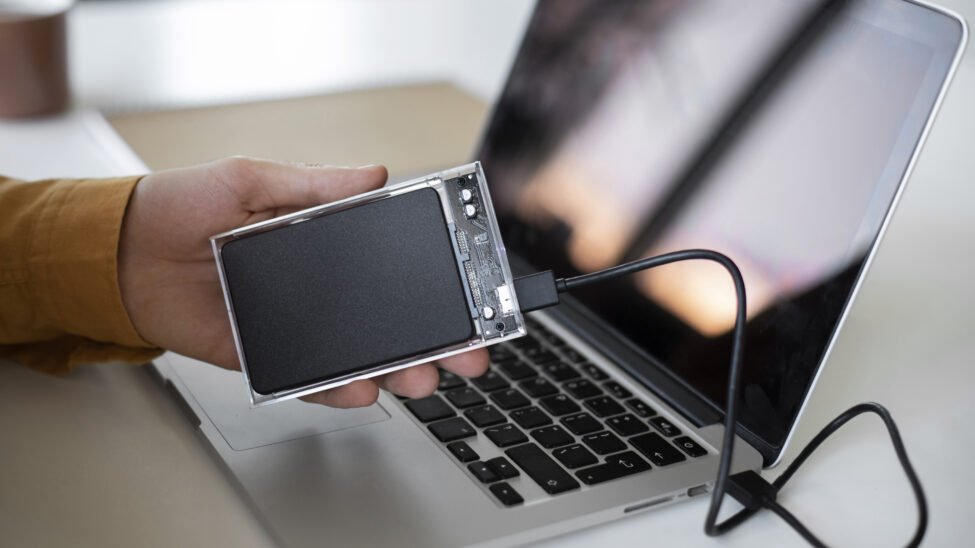
SSD Data Recovery: How to Recover Your Critical Data Safely
Solid-State Drives (SSDs) are known for their speed, reliability, and durability compared to traditional hard drives. However, they are not immune to data loss. From accidental deletion to physical damage, losing data on an SSD can be distressing. In this guide, we explore the essentials of SSD data recovery, including when to seek professional help and how to avoid common pitfalls.
Why Data Loss Happens on SSDs
Data loss on SSDs can stem from several causes, including:
- Physical Damage: Impact, water exposure, or electrical surges can harm the internal components.
- Firmware Errors: Bugs or corruption in the SSD’s firmware can make data inaccessible.
- Accidental Deletion or Formatting: Human mistakes such as deleting important files or formatting the drive.
- Logical Failures: File system corruption or malware infections.
- Wear-Leveling Issues: SSDs have a limited number of write cycles, and excessive usage can lead to failure.
Understanding the cause is vital to selecting the right recovery approach.
The Importance of Professional SSD Data Recovery Services
SSDs store data differently than traditional HDDs, using flash memory chips and advanced controllers. This unique architecture makes professional expertise essential for complex recovery cases, such as those involving physical damage or firmware corruption.
Why Choose Professional Help:
- Specialized Tools: Professionals use advanced tools to access SSDs without causing further damage.
- Experience with Encrypted Drives: Many modern SSDs feature encryption, requiring expert handling.
- Cleanroom Facilities: Physical repairs are conducted in controlled environments to prevent contamination.
Attempting to recover data without proper knowledge can lead to permanent data loss. When in doubt, consult an expert.
DIY Data Recovery Risks
While DIY methods may seem appealing, they come with significant risks, especially for SSDs. Here are a few potential pitfalls:
- Using Incorrect Software: Some tools can overwrite or corrupt existing data.
- Physical Damage: Attempting to open or repair an SSD can cause irreparable harm.
- Inadequate Diagnostics: Misidentifying the issue can worsen the problem.
For critical data, it’s best to avoid DIY approaches and rely on professional recovery services.
Top Software Recommendations for SSD Data Recovery
If the SSD is not physically damaged and the issue is purely logical, recovery software can be helpful. Here are some trusted options:
- EaseUS Data Recovery Wizard: Ideal for recovering deleted or lost files with an intuitive interface.
- Stellar Data Recovery: Comprehensive recovery for SSDs, including support for encrypted drives.
- R-Studio: Advanced recovery features for professionals, including support for RAID arrays.
Pro Tip: Always create a disk image before running any recovery software to prevent overwriting existing data.
Preventing Data Loss on SSDs
Prevention is always better than recovery. Follow these tips to safeguard your SSD data:
- Regular Backups: Use cloud storage or external drives for routine backups.
- Power Protection: Protect your SSD from surges with a reliable UPS.
- Firmware Updates: Keep your SSD’s firmware up to date to avoid compatibility issues.
- Avoid Overwriting: Minimize unnecessary write operations to prolong the SSD’s lifespan.
Data loss on an SSD doesn’t have to be the end of the story. By understanding the risks of DIY recovery and knowing when to seek professional help, you can improve your chances of successful data retrieval. At CyberXper, we offer expert SSD data recovery services to recover your valuable files safely and efficiently.
If you’re dealing with SSD data loss, don’t risk permanent damage. Contact CyberXper today for a free consultation and let our experts restore your peace of mind.



 EN
EN  HE
HE